Storno and Korrekturbeleg in Austrian Registrierkassen: Correcting Sales without RKSV Confusion
A practical UK-English guide for Austrian SMEs explaining how Storno and Korrekturbeleg should be handled in a Registrierkasse so daily reports, payments and RKSV records stay clear and auditable.
- Bahram Davoodi

Errors at the till are normal — what matters is a clear, auditable correction workflow. This guide explains how to handle Storno (sales cancellations) and Korrekturbeleg (correction receipts) in an Austrian Registrierkasse (the electronic cash register / POS) so your daily reports, payments and RKSV records remain consistent and easy to review.
What do we mean by Storno and Korrekturbeleg?
Storno refers to a traceable reversal or amendment of a previously recorded sale — for example when an item was entered twice, a customer cancels before payment, or a payment method changes. Korrekturbeleg (literally “correction receipt”) is the document or receipt produced by the system that shows the correction and links back to the original transaction.
In Austria these corrections must fit into the framework of the Registrierkassensicherheitsverordnung (RKSV) and the usual fiscal processes (e.g. DEP, FinanzOnline). The correction must not be a silent deletion; instead it should preserve who changed what, when and — where reasonable — why.
When should you use a Storno?
Typical situations that require a Storno include wrong item scans, double entries, order cancellations, returned goods, or post-payment adjustments. If left unmanaged, frequent unstructured corrections cause three problems: the cash in the till won't match reported sales, staff will be unclear which corrections are allowed without manager approval, and management will struggle to distinguish routine mistakes from returns or potential abuse.
Why the Korrekturbeleg matters
A Korrekturbeleg documents the relationship between the original transaction and the correction. Depending on your POS, this may be a negative line on the original receipt, a standalone corrective receipt, or a linked record in the transaction log. The important part is that auditors and accountants can follow the chain from sale → correction → final payment.
When evaluating a Kassensystem (cash register / POS), check what the system records for every Storno: user, timestamp, reason, items, amounts, payment method and any link to the original receipt. These fields are what make Tagesabschluss (daily closing) and the DEP useful for later reviews.
Storno and the Tagesabschluss (daily closing)
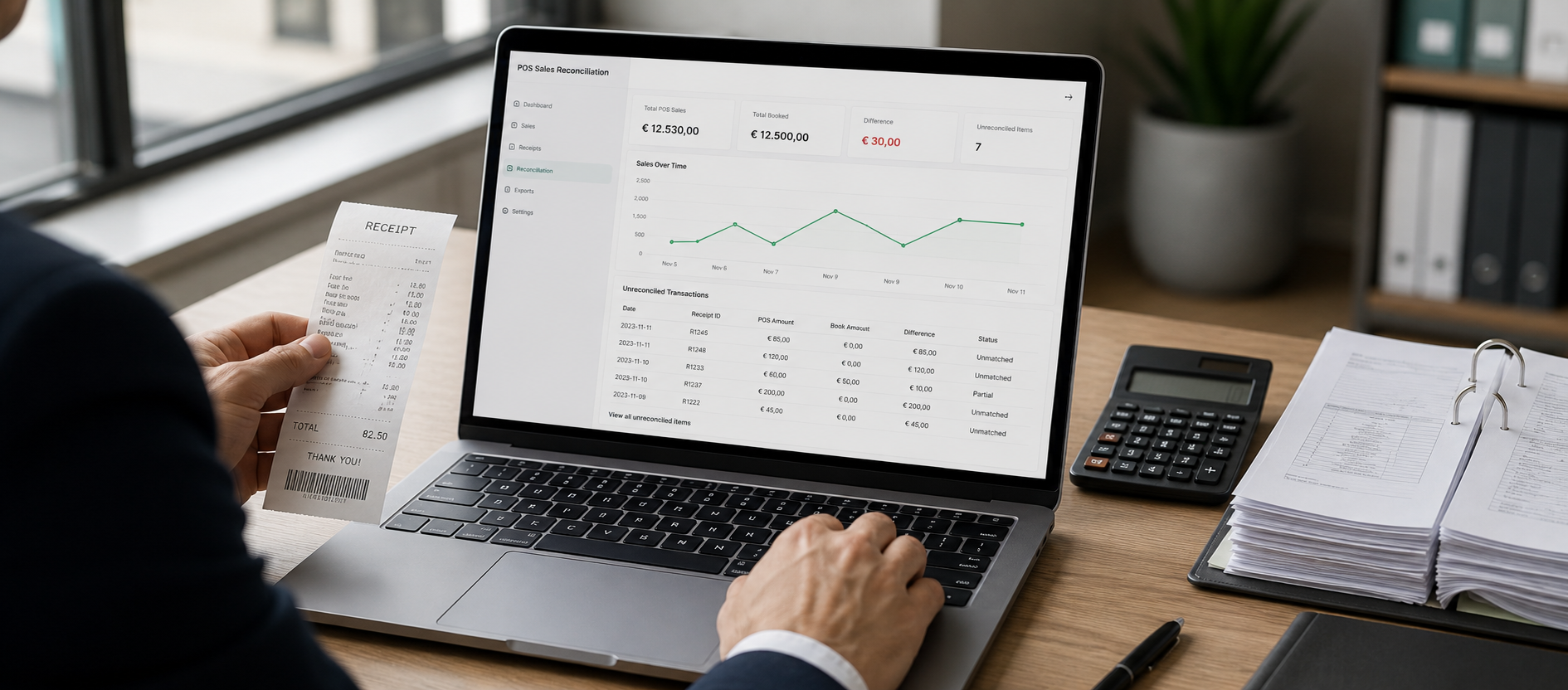
The Tagesabschluss is only trustworthy if sales, payments, Storno entries, returns and cash differences form a coherent picture. Corrections that are logged separately or without context leave managers with a single net number and no explanation for movements. A good reporting system shows Storno entries separately and allows filtering by amount, user, item category and payment method.
See the example reporting views in: Reports and sales analysis for how corrective entries should appear in operational reporting.
Payments, invoices and accounting
A common mistake is to correct the sale but not reconcile the payment or the accounting document. If a cash sale is voided, the physical cash must still be traceable. If a card payment is reversed, the card-acquiring settlement should match the corrected sale. If an invoice (Rechnung) has been issued, reversal or credit-note processes must be followed so accounting and VAT reporting remain correct.
Consider your Storno process as part of a larger flow that includes digital invoices and accounting preparation so that receipts, payments and bookkeeping stay aligned.
What a practical Storno policy should specify
Your Storno workflow should be simple but unambiguous. Small businesses often use a short internal policy clarifying: who can perform a Storno, which corrections require manager approval, when a reason is mandatory, how returns update the inventory (Warenbestand) and who reviews Storno reports at the end of the day.
- Before payment: make the correction fast and obvious to the customer and staff.
- After payment: confirm the impact on cash, card settlement or invoices separately.
- Returns: ensure the POS updates the Warenbestand / inventory.
- Discounts and price changes: record authorisation level and reason.
- Busy periods: make Storno reports available for shift-end review.
Access levels and approvals
Not every user should have the same Storno rights. If everyone can silently remove a sale, internal control weakens. If only managers can correct simple mistakes, queues and customer waiting times suffer. Better to define roles — cashier, shift-leader, store manager, system admin — with different Storno permissions. For example, item removal before payment may be allowed for cashiers, while post-payment corrections over a threshold require a shift-leader’s approval.
Common mistakes to avoid
Don’t use Storno to hide operational problems. Frequent corrections often signal issues with training, product layout, pricing or POS usability. Don’t record Storno without a reason — such entries are useless for monthly analysis. And don’t separate Storno from inventory: a returned item must also update the Warenbestand or your stock reports will become unreliable.
For businesses that rely on inventory accuracy, integrating POS and inventory is a practical advantage — see Inventory and stock management.
Checklist when choosing a Kassensystem for Storno handling
Before selecting or replacing a Kassensystem, ask these operational questions: Does the system record user and time for every Storno? Can giving a reason be mandatory? Is there a dedicated Storno report? Are corrections visible in the Tagesabschluss? Do payments, invoices and inventory remain consistent after corrections? Can management filter unusual corrections easily? Is staff training straightforward?
If you are changing systems, also consider services for data import and migration so roles, items and historical corrections transfer cleanly.
Conclusion
Handling Storno and Korrekturbeleg in an Austrian Registrierkasse is not a peripheral till feature — it’s part of your control framework for sales, payments, inventory and accounting. A clear policy, appropriate access rights, and a POS that records correction details will make Tagesabschluss and month-end reconciliation far less stressful.
If you want to review your sales, Storno, reporting and invoice flows in one place, contact Lonio to discuss your business needs in Austria.
Official references and further reading
- BMF / Finanzministerium: guidance on Einzelaufzeichnung and Registrierkassen
- WKO: FAQ on the Registrierkassen obligation
- RIS: Registrierkassensicherheitsverordnung (RKSV)
Frequently asked questions
Is Storno prohibited in Austrian Registrierkassen?
No. Storno itself is not forbidden, but corrections must be transparent, traceable and consistent with RKSV requirements. For case-specific tax or legal interpretation always consult a qualified Steuerberater (tax advisor).
How is a Korrekturbeleg different from deleting a sale?
A Korrekturbeleg documents the change and keeps the audit trail intact. Deleting or silently removing a sale breaks traceability and makes later reconciliation difficult.
Should every Storno include a reason?
Operationally it is best practice to require a reason — especially for post-payment corrections, large amounts, returns or sensitive changes. Reasons make daily and monthly analysis useful.
How does Storno affect the Tagesabschluss?
Corrections should appear in the Tagesabschluss so that cash differences, card settlements, returns and adjustments can be reviewed separately from normal sales.
What should I check when choosing a POS for Storno handling?
Check user access levels, time and user logging for corrections, optional mandatory reasons, dedicated Storno reporting, and integration with payments, invoicing and inventory.