Automatic POS and Accounting Reconciliation (Austria) — Methods & Troubleshooting
How to automatically reconcile POS sales with accounting in Austria — from export formats and API options to RKSV/DEP considerations and the most common reconciliation errors.
- Bahram Davoodi
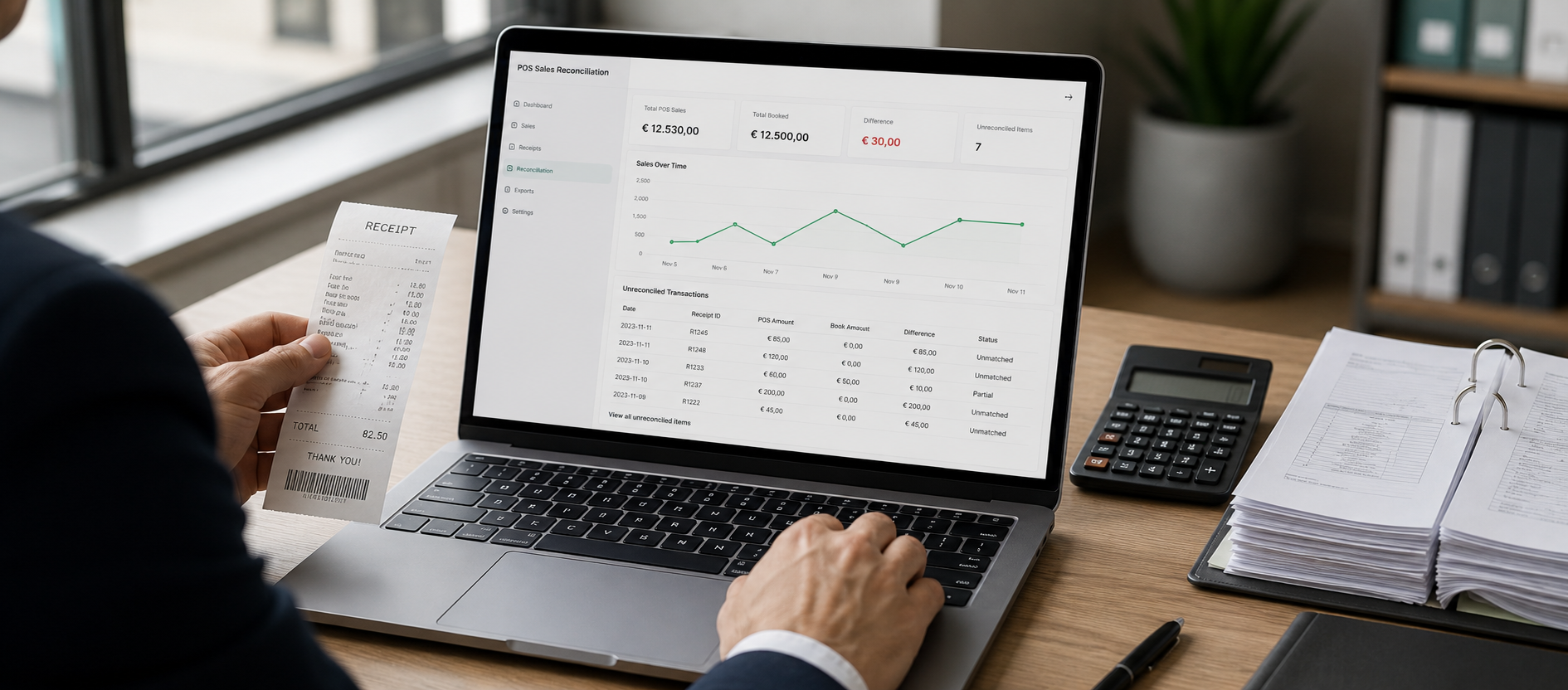
Automating reconciliation between your POS and accounting system saves Austrian SMEs time, reduces manual mistakes and produces more reliable financial reports. This guide explains practical workflows, common file formats, RKSV/DEP considerations and how to handle typical errors in plain English.
Why reconcile POS and accounting automatically?
Manual posting of sales and receipts often causes errors, missing documentation and delays in financial reporting. An automated flow:
- improves data accuracy,
- shortens daily and periodic closing times,
- simplifies reporting for your accountant or tax advisor,
- and helps maintain consistency with Austrian requirements such as RKSV when DEP exports and protected receipt copies are properly managed.
Decide what data must be transferred
Before you implement, agree which fields the POS should send to accounting:
- daily sales headers and financial totals (cash — Barumsatz, card — Kartenumsatz),
- invoice or receipt line‑item details where needed,
- payments and refunds,
- taxes — VAT (Umsatzsteuer) by tax group,
- cash withdrawals and till variances (Kassenentnahmen, Kassenfehlbeträge).
Undefined or incomplete exports can lead to wrongly posted accounts or tax reporting issues.
Common file formats and interfaces
Typical methods to move data from a POS to accounting software:
- CSV/TSV: simple and widely supported — suitable for daily/weekly totals or receipt lists,
- XML or JSON: used for richer structures (invoices with line items) and for APIs,
- RESTful APIs: real‑time or near‑real‑time transfers with processing acknowledgement and error reporting,
- standardised export files or DEP export packages kept for audit purposes under RKSV rules.
Check with your accountant to pick the format that maps cleanly to your chart of accounts and posting rules.
Typical workflows for reconciliation
Three common patterns:
1) Nightly export and import
The POS generates a file each night (e.g. CSV) with sales totals, taxes and receipt numbers. The accounting system imports it and creates daily accounting entries. Good for medium volumes and when a manual check is desired before posting.
2) Event‑driven API
Each sale or invoice is sent immediately to accounting via an API. This keeps data up to date and reduces mismatches, but requires technical setup and robust error handling for network issues.
3) Hybrid with manual review
Daily files or events are provided to the accountant but a short manual review happens before final posting — useful for sensitive businesses or when returns and adjustments are frequent.
Technical checklist for implementation
- Define primary identifiers (receipt number, invoice number, customer ID) to avoid duplicates.
- Synchronise tax groups between POS and accounting so VAT is posted correctly.
- Decide which system is the authoritative source when numbers diverge.
- Validate incoming data (date, amount, receipt number) before import.
- Implement error reporting and alerts so finance or support teams are notified of failed imports.
How RKSV and DEP affect the flow
In Austria the Registrierkassen‑Sicherheitsverordnung (RKSV) and the secure data export (DEP) rules affect how receipt data is stored and accessed. For official guidance see the Austrian authorities linked below. Practical points:
- Exports used for accounting must not replace DEP or protected receipt copies — DEP must be retained according to RKSV rules,
- if using APIs, ensure exported records include identifiers that let you cross‑reference DEP/archived receipts,
- for audits or FinanzOnline procedures, maintain protected records as required by law — check details on the official sites below.
Common reconciliation errors and how to fix them
1) Date format mismatch
Problem: POS and accounting use different date formats (e.g. DD.MM.YYYY vs YYYY‑MM‑DD). Fix: normalise dates in the transfer layer.
2) Missing or duplicate identifiers
Problem: receipts without unique IDs or duplicated IDs. Fix: validate uniqueness before import and align ID generation rules.
3) Tax category mismatches
Problem: POS tax categories do not map to accounting codes. Fix: create a tax mapping table between POS tax codes and ledger accounts.
4) Combined payment reporting
Problem: POS reports payments combined (mixed cash/card) while accounting needs them separated. Fix: export a separate payment type field so accounting can post to the correct accounts.
Pre‑launch checklist
- Run end‑to‑end tests with realistic data (stress test), not just small samples.
- Confirm error handling and retry behaviour for API transfers or file imports.
- Align output format and posting rules with your accountant or tax advisor.
- Document how to retrieve archived DEP exports in case of an audit.
Useful Austrian resources
- BMF — official information on registrierkassen in Austria
- WKO — RKSV and cash register guidance
- FinanzOnline — Austria's tax management platform
- RIS — Austrian legal information system
Next steps
Start with a small pilot: run a 7–14 day nightly export, review error reports and get feedback from your accountant. For technical help with formatting or migration, see our data import & migration service, and review related features for POS, accounting and integrations: POS features, Accounting features and Integrations.
Frequently asked questions
1) Can a POS export replace DEP for audits?
No. Exports used for accounting are suitable for bookkeeping but must not replace DEP protected receipts; DEP must be retained according to RKSV. For legal details consult the official guidance: BMF.
2) Which format is best for data exchange?
Short answer: it depends. For simple, fast exchanges CSV is often sufficient; for structured, automated exchange an API with JSON or XML is better. Align with your accountant.
3) How do I avoid duplicate postings?
Assign a unique identifier to each receipt/invoice and check at import whether that ID already exists. Also define a consistent rule for handling duplicates.