Cloud or On-Premise Restaurant Software: Offline Operation, Security, Cost and Data Export
A decision guide comparing cloud, on-premise and hybrid restaurant systems across outages, branches, security, recovery, multi-year cost and data portability.
- Bahram Davoodi
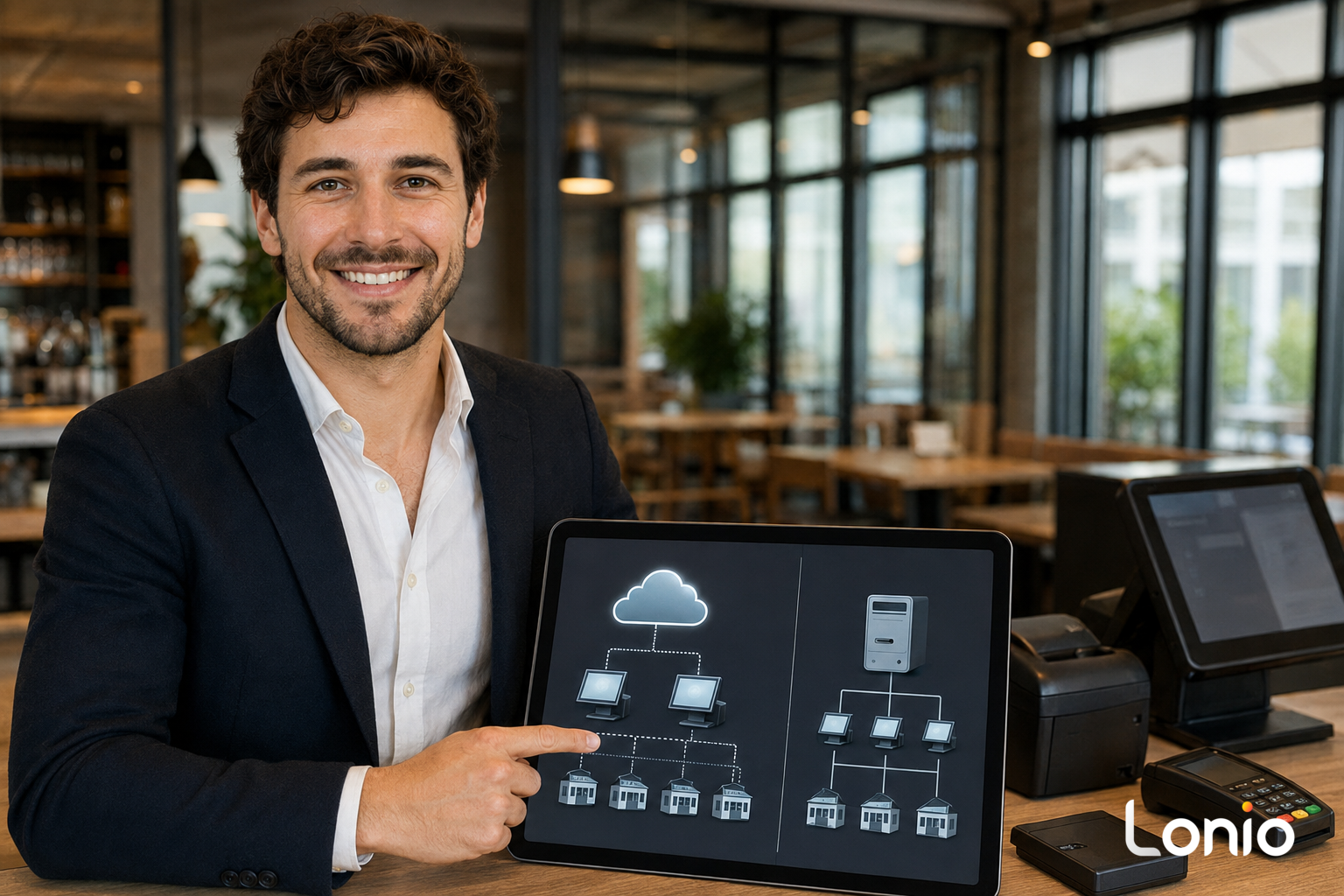
Choosing between cloud and on-premise restaurant software is not merely a technical decision. It affects how branches are managed, how updates are delivered, who maintains servers, what happens during an outage and how easily the restaurant can recover or leave the system later.
Cloud, on-premise and hybrid are operating models
In a cloud model, central data and management services normally run on infrastructure operated by the provider. In an on-premise model, the main server or database is kept at the restaurant or on its own network. A hybrid model combines both: central administration may be cloud based while order entry, printing or selected data continue locally.
Do not decide from the label alone
Two products described as cloud software may behave very differently during an internet outage. One may retain a local queue and kitchen printing while another may require continuous connectivity. The same applies to on-premise systems: a local server does not guarantee resilience if power, storage, backups or network equipment are weak. Evaluate the behaviour of each component.
Access and multi-site management
Cloud platforms often simplify central access, consolidated reporting and permission management across branches. An on-premise deployment may require VPNs, additional networking or replicated servers. The important questions are who can access each branch, how quickly data becomes available centrally and what happens when branch-to-head-office connectivity fails.
Offline and continuity behaviour
Ask which functions continue when public internet is unavailable: opening orders, adding items, printing to kitchen, taking cash, handling card payments and producing receipts. Confirm where local transactions are stored, how they are identified and how conflicts are resolved when the connection returns. Offline behaviour must be tested on the actual software version, devices, network and integrations.
Security is a shared responsibility
Neither architecture is automatically secure. Access control, multi-factor authentication, encryption, audit logs, patching, physical security, device management and staff procedures all matter. In a cloud service, the provider may manage infrastructure, but the restaurant still controls users, roles, devices and internal processes. In an on-premise setup, the restaurant or its technical partner usually carries more responsibility for servers, patches, backups and physical access.
Backup, recovery and acceptable data loss
Document the recovery time objective: how long the business can operate without the main service. Also define the recovery point objective: how much recent data might need to be reconstructed. A statement such as daily backup is not enough. Ask where copies are stored, whether they are isolated from the primary system, how often restoration is tested and who is authorised to start a recovery.
External integrations remain separate dependencies
Payment terminals, accounting, online ordering, reservation tools, messaging and specialised hardware may rely on third parties regardless of the core architecture. A local POS can still lose payment connectivity, and a cloud POS may still print locally. Review every dependency separately instead of treating cloud or local as a guarantee for the entire operating chain.
Compare total cost over the same period
Subscription or server price is only one line. Include implementation, devices, network work, security, backups, support, updates, staff time, technical partners, replacement hardware, downtime and recovery. Compare all options over the same three- or five-year period and use the same transaction volume and branch assumptions.
Data ownership, export and contract exit
Server location does not by itself determine data ownership. The contract should state which data can be exported, in what format, how often exports are available, whether attachments and audit history are included, who can access backups and how long data remains available after termination. Request a real sample export and check whether it can be read without the original application.
Decision matrix
- Single site with limited technical staff: maintenance simplicity and responsive support may have the greatest weight.
- Multiple branches: central administration, synchronisation, branch permissions and consolidated reporting become more important.
- Low tolerance for downtime: local continuity, offline procedures, power planning and tested recovery should receive high scores.
- Strict archive or exit requirements: export formats, retention and post-contract access must be explicit.
- Legacy or specialised hardware: compatibility, drivers and ownership of support incidents must be confirmed before purchase.
Tests to run during a demonstration
- Disconnect internet and perform the essential operating steps.
- Fail one terminal and sign in on a replacement device.
- Export sample orders, customers, products and accounting data.
- Restore a record or test environment from backup.
- Restrict a branch manager to the correct location.
- Simulate an update problem and review the rollback process.
- End the contract scenario and confirm the data handover route.
How Lonio can be evaluated
Lonio should be assessed against the same checklist. Depending on the confirmed deployment, modules and integrations, it may support central management, local operations, reporting, permissions and exports. Offline behaviour, recovery targets, hosting location, retention and export scope must be verified in the actual technical documentation and agreement.
Conclusion
The best architecture is the one that matches the restaurant's branch structure, technical capacity, downtime tolerance, security responsibilities and exit requirements. Cloud, on-premise and hybrid labels are starting points; tested behaviour, clear responsibilities and contractual evidence should determine the decision.
Frequently asked questions
Does cloud software always stop during an internet outage?
No. Behaviour depends on local storage, the internal network and the tested synchronisation design.
What is a hybrid model?
Some operations or data remain local while central management or reporting uses cloud infrastructure.
Which model is more secure?
Security depends on controls, maintenance, backups and shared responsibilities, not server location alone.
What should be included in the cost comparison?
Subscription, server, network, devices, support, staff time, security, updates, downtime and recovery.