Optimising bakery counter sales in Austria: PLUs, quick-sale buttons and returns in your kassensystem
How targeted PLUs, quick‑sale configuration and clear returns procedures speed counter service in Austrian bakeries while keeping RKSV readiness.
- Bahram Davoodi
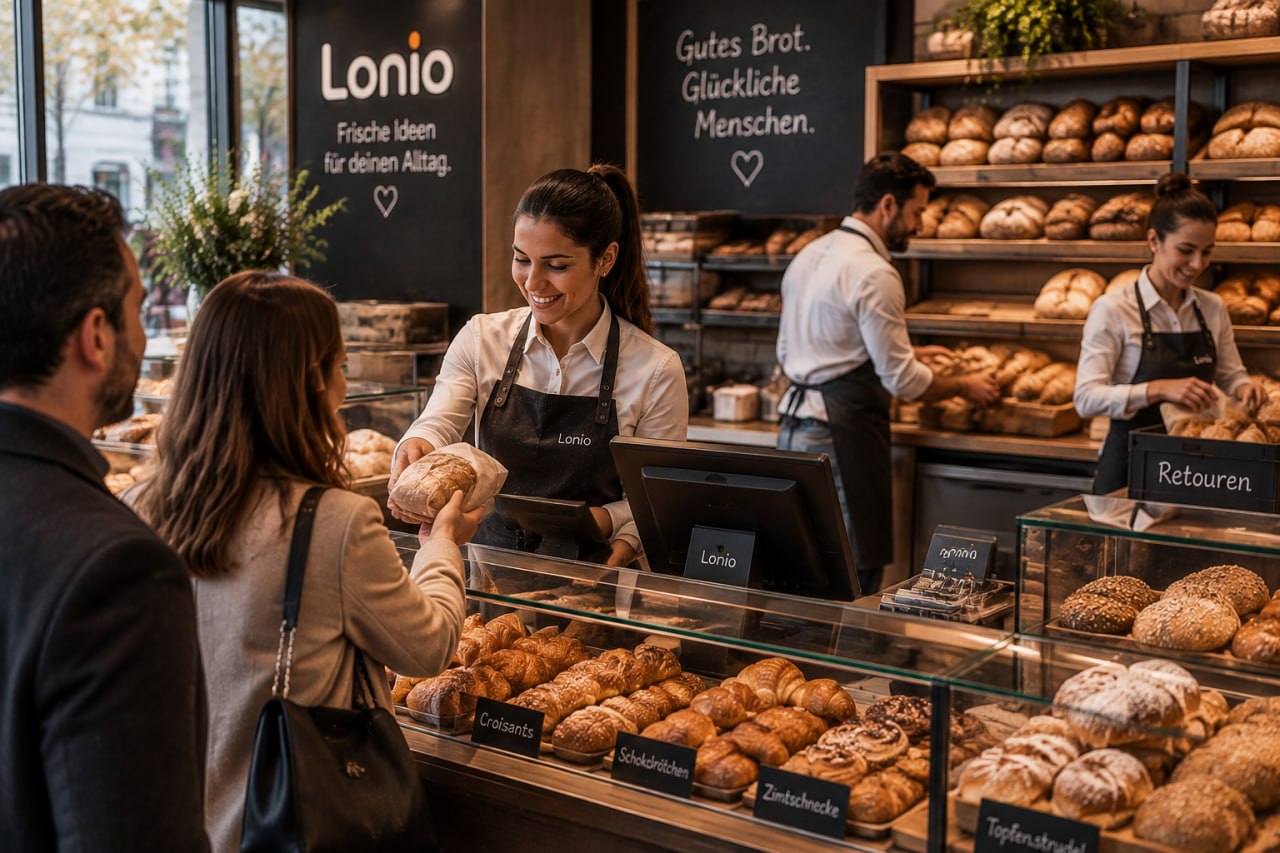
In busy Austrian bakeries every second at the counter counts. This practical guide explains how to speed service and reduce errors by structuring PLUs in your kassensystem (POS), configuring quick‑sale buttons and running clear returns and end‑of‑day routines while keeping RKSV requirements in mind.
Why optimising counter sales matters
Counter sales in bakeries face specific challenges: many small SKUs, high peak‑time customer flow, rapidly changing stock and legal requirements such as the RKSV in Austria. Better POS setup shortens queues, increases throughput during busy shifts and reduces human error.
1. Structure your PLUs (product look‑ups)
PLUs are short identifiers for products or product groups in the kassensystem. For bakeries we recommend:
- Group similar items (daily breads, small pastries, pre‑cut cakes) so staff can find entries fast.
- Use short, memorable codes for counter staff instead of long product names.
- Define price‑per‑weight PLUs for items sold by weight (e.g. per 100 g) to speed price calculations.
Practical tip: keep a simple printed or digital product catalogue for quick reference and manage the master catalogue centrally so updates replicate across branches. See the product catalogue and POS feature pages for options: Product catalogue and POS features.
2. Enable and arrange quick‑sale buttons (Schnellverkauf)
Typing or searching PLUs at peak times costs time. Quick‑sale buttons should represent your top sellers. Implementation tips:
- Give each button one product or a frequent combination (for example, a pastry + coffee bundle).
- Arrange buttons by sales patterns across the day (breakfast, lunchtime, afternoon).
- For variable weight/size products provide a shortcut button that opens a weight/quantity prompt so the final price is entered quickly.
Choose a POS layout and hardware that support large, customisable quick‑sale grids: POS features.
3. Returns (Retouren) and store credit management
Returns in bakeries happen because of customer dissatisfaction, quality issues or weighing mistakes. Keep the process fast and auditable:
- Set a standard returns procedure: what evidence is required (receipt, date, reason) and which resolution applies (cash refund, store credit, exchange).
- Limit returns for perishable items to a short time window (for example, 24 hours) and publish this in your sales policy.
- Use a daily returns report to spot patterns and take corrective action for products with high return rates.
Store credit features reduce cash flow pressure when refunds are frequent; see the store credit and reports pages for functionality: Store credit and Reports.
4. Busy shifts and end‑of‑day routines
Combine tools and procedures to keep service steady:
- Define an end‑of‑day routine that includes closing the tills, reviewing open transactions, registering returns and reconciling stock.
- Use a digital end‑of‑day checklist staff can tick off on a tablet or phone to reduce mistakes.
- Train staff on how to record items without a PLU in emergencies so sales keep moving.
5. Inventory and aligning stock with counter sales
To avoid selling out‑of‑stock items, keep inventory updates fast:
- Connect the product catalogue to inventory so sales decrement stock automatically. Learn more about inventory features here: Inventory.
- Set reorder thresholds for fast‑moving items and enable automated ordering reminders.
- Compare physical counts and system figures regularly and use detailed reports to investigate discrepancies: Reports.
6. Austrian legal compliance: RKSV, DEP and FinanzOnline
POS systems used in Austria must meet RKSV requirements and be able to produce and store the DEP (Datenerfassungsprotokoll). Key points:
- Ensure your kassensystem can generate and securely store the DEP.
- Prepare workflows and accounts for reporting to FinanzOnline when your tax advisor or the authorities request relevant data.
- Consult official guidance from the Austrian Ministry of Finance and the legal information system for detailed technical and legal requirements: FinanzOnline, BMF and RIS.
Legal note: this article is for general information only and is not professional tax or legal advice. For a precise RKSV compliance assessment, speak with a Steuerberater (tax advisor) or qualified professional in Austria.
7. Staff training and practical checklists
Good tools need trained staff. A short training plan should include:
- How to use quick‑sale buttons and returns workflows.
- How to register weight‑based or PLU‑less items.
- End‑of‑day routines and how to run daily sales reports.
If you migrate from an older system, consider professional data import and migration services: Data import & migration.
8. Success metrics to track
After changes, monitor these KPIs to measure impact:
- Average transaction time at the counter.
- Sales per shift and average basket value.
- Return rate and reasons.
- Discrepancy between system inventory and physical counts.
Next steps
Optimising bakery counter sales combines technical setup (PLUs, quick‑sale buttons), clear returns procedures and regular reporting. For bakery‑specific solutions and a walkthrough of relevant POS features see our bakery industry page: Bakeries, and browse POS, catalogue and reporting features: POS features, Product catalogue and Reports. To arrange a quick assessment of your PLU layout and migration needs, contact our sales and implementation team: Contact.
Frequently asked questions
1) What is a PLU and how does it speed counter sales?
A PLU (product look‑up) is a short code identifying a product. By organising PLUs logically and grouping top sellers, staff can register items faster and shorten transaction times.
2) How can I handle returns without heavy cash flow impact?
Options include cash refunds, store credit or exchanges. Using store credit recorded in the kassensystem reduces cash outflow while preserving customer satisfaction.
3) Does my POS need to connect to FinanzOnline?
Direct connection to FinanzOnline is not typically required. However, your system must provide the DEP and the reports necessary for tax authorities. For official guidance refer to FinanzOnline and BMF resources: FinanzOnline and BMF.
4) How should I arrange quick‑sale buttons?
Arrange them by sales frequency and time of day (breakfast, lunch, afternoon). Create buttons for common combinations to reduce the number of taps.