Produktkatalog in Your Kassensystem: Managing Products, Variants and Prices in Austria
A well-structured Produktkatalog is the data foundation behind every sale in your Austrian Kassensystem — here's how to set it up correctly, from categories and VAT rates to variants and barcodes.
If your daily sales, stock levels, receipts and reports all feel slightly out of sync, the root cause is often not the till itself (Kassensystem, the point-of-sale system) but the product catalogue (Produktkatalog) behind it. The product catalogue is the data foundation of every single sale.
This guide is written for small and medium-sized businesses in Austria. For tax-specific questions such as the exact VAT rate for your goods, it's best to consult a tax advisor (Steuerberater).
What is a Produktkatalog, and why is it the foundation of your Kassensystem?
A product catalogue is the structured list of every item and service you sell. To see how this foundation fits into the wider sales flow, compare the product catalogue (Produktkatalog) in Lonio with the Kassensystem and point-of-sale features.
Product catalogue vs. stock management
The product catalogue defines what you sell. Stock management (Warenbestand) answers how much of each item you currently have.
Elements of a good product catalogue
- Clear, unique product names
- Logical categorisation (Kategorie)
- Correct sale price and VAT rate (Steuersatz)
- Barcode or unique identifier
- Sales unit (piece, kilogram, pack)
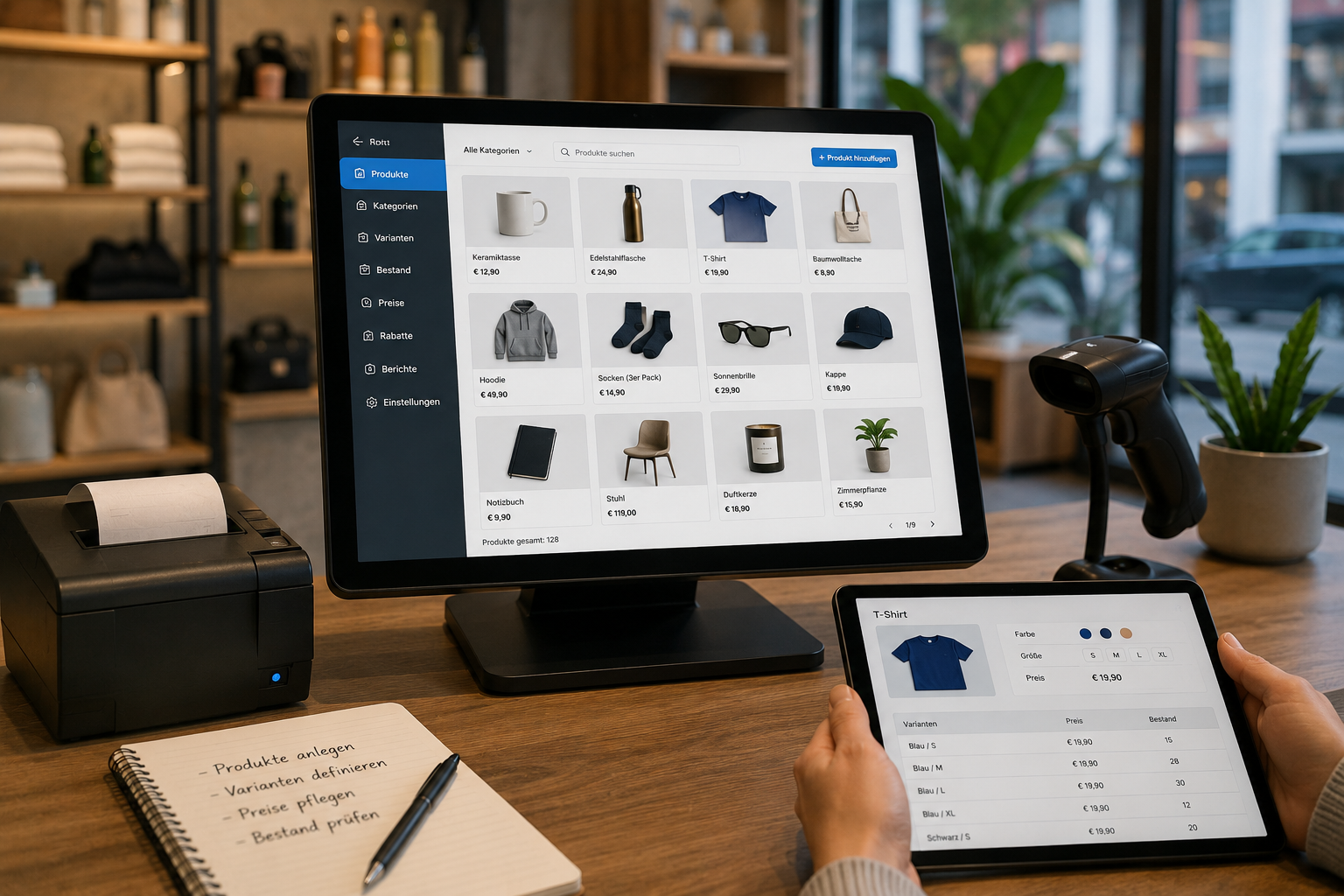
- Variants (Varianten) such as colour, size or weight
Product variants (Varianten): how to model them correctly
If you sell a T-shirt in three colours and four sizes, it's best to set up a single base product with colour and size variants, rather than creating a separate product for every combination.
Pricing and VAT rates in Austria
In Austria, different goods and services can be subject to different VAT rates. This section is for general information only; always confirm the applicable rates with your Steuerberater.
Barcodes and product identifiers
The barcode is the heart of speed at the till.
One catalogue as the single source for in-store and online sales
When the same catalogue feeds both your till and your online shop, you no longer need to maintain prices separately in two places. This also improves control: reports and sales analytics only become meaningful once they're built on top of one consistent catalogue.
Common mistakes when building a product catalogue
- Creating a separate product for every colour and size
- Inconsistent naming conventions
- Not entering the correct VAT rate from the start
Produktkatalog setup checklist
- Define your category structure before importing any products.
- Assign a barcode or unique identifier to every item.
Lonio's role in managing your product catalogue
If you'd like to tidy up your existing catalogue, you can request a demo or consultation via the Lonio contact page.
Summary
A Produktkatalog is more than a product list; it's the data foundation that determines the quality of your sales, receipts, stock levels and reports.
FAQ
What's the difference between a Produktkatalog and stock management?
The catalogue defines what you sell; stock management shows how much of each item is currently available.
How should I model product variants (Varianten)?
Instead of creating a separate product for each option, set up one base product with variants attached.
Does the Kassensystem calculate the VAT rate automatically?
If you enter the correct rate, the system can apply it automatically. Always confirm the right rate with your Steuerberater.
Can one catalogue be used for both in-store and online sales?
Yes. A single, central catalogue can serve as the one source of data for both channels.