Kassensystem for Retail Stores in Austria: Barcodes, Stock, Returns and Purchasing in One Workflow
A Kassensystem for a retail store in Austria only earns its keep when barcodes, stock, returns, purchasing, and reporting all run through one connected workflow — not just the till.
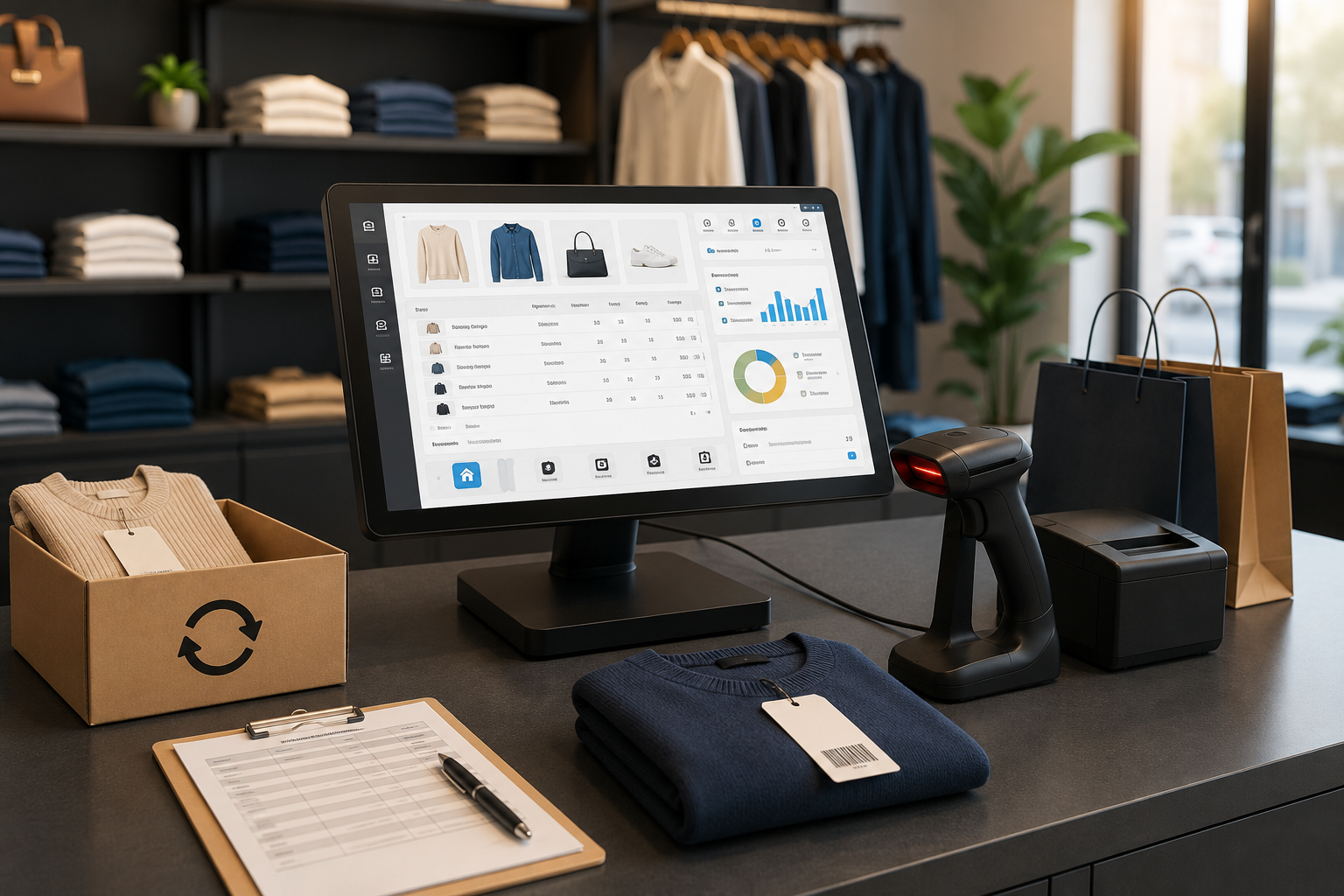
For a retail store in Austria, the till is never just a place to take payment. Every sale ripples outward — it touches stock levels, the next purchase order, the daily report, the customer experience, and even the books. When the Kassensystem (the checkout and point-of-sale system) is disconnected from the Warenwirtschaft (merchandise and inventory management), teams run into incomplete data, wrong stock counts, and duplicate work far sooner than they expect.
A Kassensystem for a store in Austria delivers the most value when sales, barcodes, products, stock, returns, purchasing, and reporting all sit inside one workflow that actually makes sense together. This article is written for small and mid-sized shops, boutiques, specialist retailers, and teams who want to run daily sales with better operational control.
This article is not legal or tax advice. Questions about RKSV (Austria's cash register security regulation), Registrierkasse obligations, record-keeping, tax treatment, and other legal details should be discussed with a Steuerberater (tax advisor) or another qualified professional. For official general business information, you can visit the USP Unternehmensserviceportal.
Why does a store need a Kassensystem connected to Warenwirtschaft?
In retail, every transaction is part of a bigger chain. Selling one product doesn't just change the till total — it reduces stock of that item, raises the question of reordering, shifts the category report, and may update the customer's history too. When these pieces live in separate systems, the team ends up moving data by hand.
For example, a staff member might sell an item at the till while stock is recorded in a different file. A few days later, the manager assumes the item is still available, while the shelf is already empty. Likewise, if a return isn't linked correctly to the sale and the stock count, the profit and sales reports become misleading too.
Barcodes and sales speed in the store
Barcodes are one of the simplest ways to cut sales errors. When a product is scanned by barcode, staff rarely need to pick the price or item name manually. This matters even more in stores with large product ranges, multiple sizes and colours, or busy seasonal peaks.
That said, barcodes aren't only about speed. A barcode needs to be linked to the product catalogue, price, stock, and sales reporting. If a barcode works at the POS but isn't connected to stock, an important part of the problem is still unsolved.
The product catalogue: the real foundation of accurate sales
The product catalogue needs to be well organised: item name, category, price, tax rate, barcode, an image where relevant, stock level, and attributes like size or colour. A weak catalogue leads to weak sales data and weak reporting. That's why it's worth reviewing your product structure before setting up a Kassensystem.
In a clothing store, size and colour matter most. In a food shop or small supermarket, scan speed and stock accuracy matter more. In a specialist store, precise categorisation and detailed product information may matter most for advising customers. The system needs to match your actual sales model. The Katalog module in Lonio is relevant here.
Stock levels and Bestandsalarm in day-to-day work
One common problem in stores is that low stock is spotted too late. When stock only exists in a salesperson's memory or a separate spreadsheet, purchasing decisions get delayed. A Bestandsalarm (low-stock alert) is only useful when daily sales genuinely update the stock count behind it.
When the Kassensystem is aligned with Warenbestand in Lonio, the manager can see which items sell fastest, which items are tying up capital unsold, and when a new order needs to be placed. This view matters for avoiding both lost sales and over-ordering.
Returns, exchanges, and Store Credit
Returns are a normal part of retail, but if they aren't recorded properly, they distort both stock levels and sales reports. The system needs to capture which product came back, whether it can be resold, how the payment was corrected, and whether store credit or a Gutschein (voucher) was issued.
In some stores, the customer receives Guthaben (store balance) or store credit instead of a refund. This needs to be linked to the customer, the sale, and the financial reporting. Otherwise, the team has no way of knowing later where a customer's credit came from or how it was used. The Store Credit module in Lonio is useful for exactly this scenario.
Purchasing and Nachbestellung: from shortage to reorder
Retail isn't only about selling — purchasing and restocking are just as much part of the workflow. When stock runs low, the system should help the manager decide what to order, from which Lieferant (supplier), and when. Nachbestellung (reordering) works best when it's based on real sales and stock data.
For example, if a product has sold quickly over several weeks but carries a low margin, the reorder decision needs care. If another product moves slowly, reordering it may not make sense at all. Connecting sales, stock, and Einkauf in Lonio supports better purchasing decisions.
The reports a store actually needs
A good report should support a decision, not just display numbers. A store manager needs to see daily sales, best-sellers, slow-movers, low stock, returns, discounts, and category performance. Payment methods and the Tagesabschluss (end-of-day closing) also need to be clear for daily control.
- Daily and weekly sales
- Sales by product category
- Best-selling and slow-moving items
- Low stock and items needing reorder
- Returns and exchanges
- Discounts and transaction corrections
- Payment methods and end-of-day till closing
- Purchases and stock intake
These reports need to be simple and actionable. If a manager has to manually combine several exports just to understand the numbers, the system still isn't doing its job. The Berichte module in Lonio is built for exactly this need.
Connecting in-store sales and online sales
Many stores don't sell in person alone. Online orders, Click & Collect, product reservations, or multi-channel sales all add complexity to stock management. If in-store stock and online sales aren't synchronised, the risk of Überverkauf (selling more than is actually in stock) increases.
Because of this, a store's Kassensystem needs to be able to stay aligned with products, orders, and stock across multiple channels. Even if a store only sells in person today, it's worth choosing a system that leaves room for future growth. The Verkauf module in Lonio supports order and sales management here.
RKSV and recording sales in Austria
For Austrian stores, Registrierkasse and RKSV requirements matter in many cases. The till software should make sales recording, receipts, daily reporting, and data retention reliable. That said, no article or piece of software should replace a proper professional review.
Before choosing a system, it's worth checking with a Steuerberater which requirements and processes matter for your specific sales model. You should also make sure your team knows how to record sales, returns, discounts, and the end-of-day till closing correctly.
Checklist for choosing a Kassensystem for Einzelhandel
Before choosing a system, check the following:
- Is barcode scanning connected to the product catalogue?
- Does stock update after every sale and return?
- Can sizes, colours, or Varianten (product variants) be managed?
- Are Bestandsalarm and Nachbestellung supported?
- Are purchasing and Lieferant visible in the operational workflow?
- Are sales, stock, and payment reports clear?
- Is the output ready for accounting and your Steuerberater?
- Is the system suited to in-store sales, online sales, or future growth?
Common mistakes stores make
The first mistake is choosing a till that only records payment. Such a system might feel simple in the early days, but once the product range grows, stock and reporting run into trouble.
The second mistake is starting with a disorganised catalogue. If item names, categories, prices, or barcodes aren't correct, the error spreads through the entire workflow. The third mistake is neglecting returns and exchanges. If these aren't recorded properly, both the customer experience and the reliability of the reports suffer.
How does Lonio help stores?
Lonio brings sales, stock, purchasing, customers, and reporting closer together in one workspace. To get started, the Kasse und Verkauf module in Lonio covers the till and sales flow. For stock control, the Warenbestand module in Lonio is closer to stock visibility, warehouse transparency, and product availability. If your store deals with reordering and suppliers, Einkauf in Lonio can organise the purchasing workflow.
For retail stores, the Einzelhandelssoftware page on Lonio is the most relevant industry destination. If products and categories are a major part of your work, Katalog in Lonio also supports your product foundation. For sales analysis and management decisions, Berichte in Lonio rounds out the reporting workflow.
Summary
A Kassensystem for a store in Austria needs to go beyond recording payments. The right system connects sales, barcodes, the catalogue, stock, returns, purchasing, and reporting. This connection means less duplicate work for the team and more reliable data behind the manager's purchasing and sales decisions.
Before choosing, review your store's real workflow: how products are defined, how barcodes are used, how stock changes, how returns are recorded, and what data the next purchase order relies on. When these paths are designed correctly from the start, the Kassensystem becomes part of the store's everyday management rather than a separate task.
FAQ
How is a Kassensystem for a store in Austria different from a simple till?
A simple till mostly records payment. A store Kassensystem needs to connect sales to barcodes, products, stock, returns, purchasing, and reporting.
Does a small store also need Warenwirtschaft?
If the number of products, sizes, colours, or reorders is significant, Warenwirtschaft can prevent errors and stock shortages even for a small store.
How do barcodes help a store?
Barcodes speed up sales and reduce errors when selecting products. That said, the real value comes when the barcode is linked to the catalogue, price, and stock.
Does a Kassensystem guarantee RKSV compliance?
Software can support the recording and documentation process, but the exact requirements for each business should be reviewed with a Steuerberater or another qualified professional.