Tablet Kassensystem in Austria: A Practical Hardware Guide for Card Readers and Receipt Printers
A practical guide for Austrian businesses choosing Tablet Kassensystem hardware — tablet, card reader, receipt printer and barcode scanner that actually work together.
- Bahram Davoodi
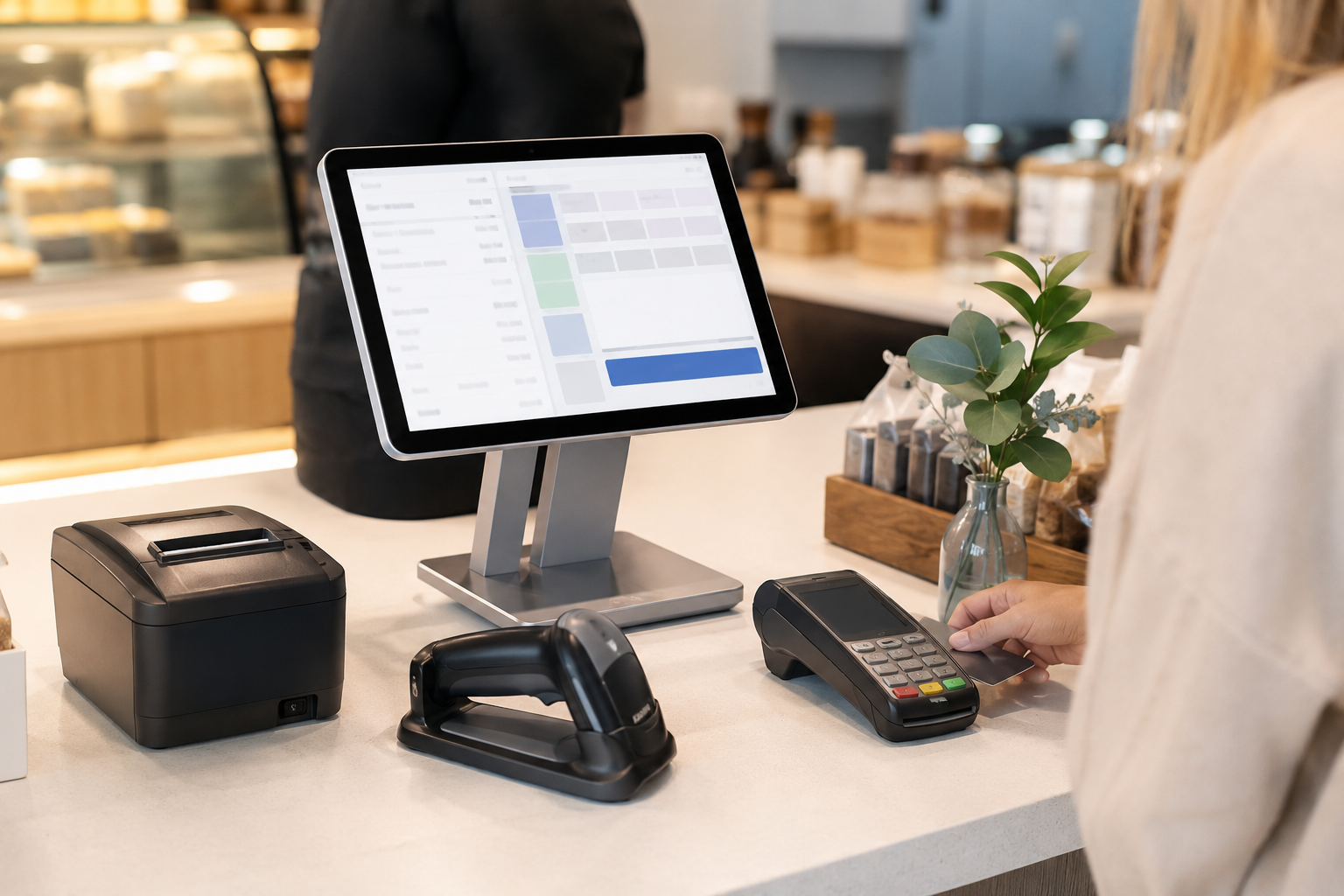
For many small businesses in Austria, a Tablet Kassensystem is appealing: it looks light, portable and simpler than a bulky traditional till. But choosing your checkout hardware is never just about buying a tablet. The card reader, receipt printer, barcode scanner, cash drawer, tablet stand, internet connection and POS software all have to work together as one system.
If these components aren't chosen to match from the start, the team runs into trouble during daily sales: the printer won't connect, the card reader is slow, the tablet doesn't have enough battery, or the software doesn't sync properly with the devices. The result is a slower checkout and a worse customer experience.
This guide is written for Austrian businesses that want to choose their Kassensystem (till/POS system) hardware in a practical, no-fuss way — from shops and boutiques to cafés, bakeries, service salons, pop-ups and seasonal businesses.
What does a Tablet Kassensystem actually mean?
A Tablet Kassensystem means using a tablet as the core of your point-of-sale setup. The POS software runs on the tablet, and other equipment — card reader, receipt printer, barcode scanner or cash drawer — connects to it. This model usually suits businesses that want a lighter, more flexible and more scalable till.
That said, a tablet on its own is not a complete Kassensystem. The software, hardware and sales process all need to work in sync. If you have fast-paced sales at the counter, receipt printing, card payment and barcode scanning need to run without interruption. If you offer mobile or on-site service, battery life, network connectivity and portability matter even more.
To see the related hardware page on Lonio, take a look at Tablet POS Terminals.
What hardware do you typically need?
Every business has different hardware needs. A small café might only need a tablet, card reader and receipt printer. A clothing shop will likely also need a barcode scanner and cash drawer. A multi-location business might need several devices, several user accounts and duplicate equipment for each site.
- A tablet or touchscreen terminal to run the POS software
- A tablet stand for stable use on the counter
- A card reader for cashless payments
- A receipt printer to issue the Beleg (receipt)
- A barcode scanner for fast item sales
- A cash drawer for cash payments
- A router or stable internet connection
- Cables, chargers and backup equipment
Every piece needs to be compatible with your software and your sales process. Buying equipment piece by piece without checking compatibility can create real headaches during setup.
The tablet and day-to-day performance
The tablet is the heart of this checkout model, so it needs to be assessed on screen size, speed, durability, battery, stand, security and ease of use. A screen that's too small can tire out staff over a shift, but a device that's too large isn't ideal for mobile sales or tight spaces either.
In a busy shop or café, the tablet needs to respond quickly. The POS software shouldn't slow down after several transactions in a row. It should also be clear what the team does if the internet drops or the device needs charging.
For a better choice, don't just look at the spec sheet. Test a real sales scenario on the device: select a product, take a card payment, print a receipt, amend an order, and pull the end-of-day report.
Card readers and payment methods
In Austria, card payment is completely normal for most customers. That means the card reader needs to be fast, reliable and well integrated with the sales flow. If the card reader operates separately from the till, staff have to re-enter the amount manually, which raises the risk of errors.
It's worth checking how card payments sync with the POS software, whether the payment receipt and the sales receipt are handled clearly, and whether the end-of-day report on payment methods is easy to review. You should also check transaction fees, support and contract terms for the payment provider separately.
If your business has fast-moving sales, a slow card reader can create queues. If you run mobile or seasonal sales, the card reader's connectivity and battery life matter just as much.
Receipt printers and the Belegerteilungspflicht
In Austria, the receipt obligation — Belegerteilungspflicht — matters for many businesses. The receipt printer needs to work smoothly with your till software and function reliably at the point of sale. This article is not legal or tax advice, though — your specific situation should be reviewed with a qualified professional (Steuerberater).
When choosing a printer, print speed, quality, connection type, paper use, size, support and software compatibility all matter. Desktop printers suit a fixed counter, but mobile sales may call for a smaller printer or a different solution altogether.
If the printer drops out during a busy period, sales slow down. It's worth practising the printer connection and the paper-change process with your team during setup.
Barcode scanners and product sales
For shops, boutiques, small supermarkets and any business with a varied product range, a barcode scanner boosts both speed and accuracy. When staff scan an item, the chance of selecting the wrong product drops, and stock levels are updated more accurately too.
The scanner needs to match your product catalogue. If products, variants, sizes or colours aren't set up correctly, the scanner won't solve the problem on its own. So sort out your product structure and barcodes before buying hardware.
For product structure and catalogue management, the Catalogue page on Lonio is relevant.
Connecting hardware to your POS software
One of the most important criteria is how well your equipment works with your POS software. Even good hardware becomes a headache in practice if it isn't compatible with your software. Before buying, ask exactly which models are supported, how setup works, and who you contact if something goes wrong.
You should also check how sales, payment, receipt, stock and reporting data all flow into one place. The goal isn't to have as many devices as possible on the counter — it's to make sales happen with as little friction as possible.
For the sales workflow, the Till and Sales page on Lonio is a good place to start.
Hardware for shops, cafés and mobile businesses
Every type of business has its own hardware scenario. A clothing shop usually needs a barcode scanner, cash drawer, card reader and receipt printer. A café or bakery needs sales speed, receipt printing and sometimes several devices running at once. A mobile or seasonal business is more sensitive to battery life, internet connectivity, low weight and quick setup.
For pop-ups, markets or seasonal sales, lighter equipment is usually the better choice. For a fixed shop, stability and durability on the counter matter more. If several staff sell at the same time, user roles, devices and reporting also need to be clearly set up.
In every scenario, it's worth simulating a real working day before you buy. That simple test alone can reveal a lot of hidden problems.
How should you weigh up hardware costs?
The price of a tablet or printer is only part of the cost. You also need to factor in software, setup, support, replacement parts, receipt paper, backup equipment, training and your team's time. Sometimes cheap hardware ends up costing more in the long run because of breakdowns, incompatibility or slowness.
- Is the equipment supported by your software?
- If a device breaks, is there a replacement or support available?
- What do cables, stands, cash drawers and accessories cost?
- Is setup and training included in the price?
- How does the total cost change if you add another device later?
Your hardware choice should match your budget, but being cheap alone isn't a good enough criterion. Reliability during busy hours is worth a lot.
Setup, training and support
Even the right hardware can create a poor experience if it's set up badly. The team needs to know how to record a sale, take a card payment, print a receipt, diagnose a printer issue and pull the end-of-day report.
Short, practical training is usually more effective than long, theoretical sessions. Staff should practise a few real scenarios: a normal sale, cancelling or amending an order, cash payment, card payment, reprinting a receipt, and working with the barcode scanner.
It should also be clear who to contact when something goes wrong. If hardware and software support are handled separately, responsibilities can become unclear.
Tablet Kassensystem selection checklist
Before you decide, check the following:
- Is the tablet compatible with the POS software?
- Does the card reader integrate with the sales flow?
- Is the receipt printer reliable during busy hours?
- Does the barcode scanner work with the product catalogue?
- Are the cash drawer and tablet stand suited to your counter space?
- Is the internet connection and power supply stable?
- Is the equipment suited to mobile or fixed sales?
- Are support costs and device replacement terms clear?
- Can the team use the system without complicated training?
How Lonio can help
Lonio helps businesses view their till hardware alongside their POS software, stock, catalogue and reports. If you only buy the devices but sales flow, stock and reporting aren't aligned, you lose part of the system's value.
To get started, the Tablet POS Terminals page is the relevant place to review hardware. From there, Till and Sales, Catalogue, Stock and Reports help you build a fuller picture of daily operations.
Summary
A Tablet Kassensystem in Austria can be a light, modern and scalable choice for small businesses — but only when the tablet, card reader, receipt printer, barcode scanner, POS software and support all work together.
Before you buy, test a real scenario: selling a product, taking a card payment, printing a receipt, scanning a barcode, amending an order and pulling the end-of-day report. If that flow runs smoothly, the hardware you've chosen is likely to prove reliable in daily use too.
FAQ: Tablet Kassensystem in Austria
Is a Tablet Kassensystem right for every business?
Not always. It suits many shops, cafés, bakeries and small businesses well, but it needs to match your sales volume, hardware needs, counter space and payment methods.
Can you run a complete till with just a tablet?
Usually not. The tablet is the core of the system, but daily operations often also require a card reader, receipt printer, barcode scanner, cash drawer and a stable connection.
What's the most important factor when choosing a receipt printer?
Software compatibility, speed, reliability, connection type, support and ease of use during busy hours all matter. Price alone isn't a sufficient criterion.
Does the hardware have to come from the same provider as the software?
Not necessarily, but compatibility and support need to be clear. If hardware and software come from separate sources, it should be established upfront who is responsible for setup and troubleshooting.